How to apply for a residence card via MOS 2.0 in Poland
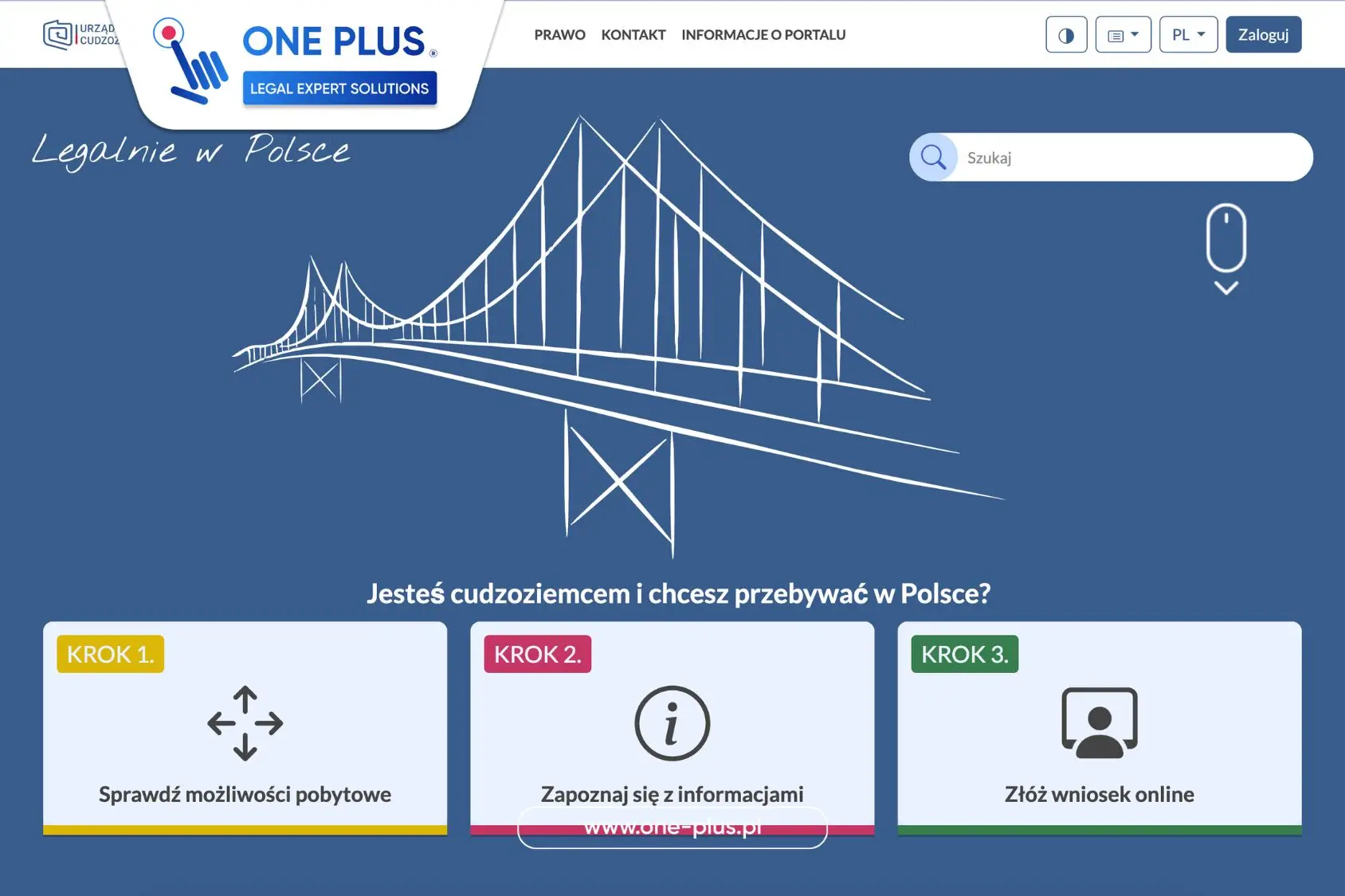
Poland moved residence-card filing online. From 27 April 2026, for most grounds paper applications simply do not exist — not “accepted less often”, but gone. If an envelope reaches the voivodeship office after 26 April, it may never be treated as an application. The mailing date does not matter; the date of actual receipt does.
Below: how MOS 2.0 works, what to prepare, how to fill the travel-document section (especially for Ukrainian passports), what changed in family filings, how Annex no. 1 works, what happens after submission, UKR/CUKR notes, and mistakes first filers already repeat. Official materials are also published by UDSC.
Video walkthrough. Tatiana Vyborna (ONE PLUS) shows the MOS screen: where to log in, how to move through the form, and what to check before sending a residence card application.
What MOS 2.0 is — and what it is not
MOS (Moduł Obsługi Spraw) is the state portal for foreigner applications. You complete the form, upload documents, sign electronically and send the case to the voivodeship office: mos.cudzoziemcy.gov.pl.
Important: MOS is a filing tool, not an automatic decision. It will not pick the correct legal ground, will not validate your evidence logic, and will not correspond with the case officer for you.
Photos sized for MOS without painful cropping
Photos are a frequent blocker. MOS expects JPG, min. 684×883 px, up to 2.5 MB. Phone booth shots rarely fit first time. DocPhoto Online resizes the file to MOS requirements so you can attach it immediately.
Which applications go through MOS
Four permit types are filed via MOS: temporary stay (work, study, business, family reunification and other grounds) — the core residence permit; permanent stay (Polish roots, marriage to a Polish citizen, etc.); EU long-term resident status (usually 5+ years of lawful stay); and the CUKR card for Ukrainian nationals with UKR status (filings from 4 May 2026 on the current schedule).
Who still files on paper
Paper remains for intra-corporate transfers (ICT), long-term mobility within such transfers, family reunification when the applicant is outside Poland, and certain family members of Polish / EU / UK citizens under withdrawal-agreement rules when the person is also outside Poland. Exceptions file by post or in person; everyone else prepares the electronic route.
What to prepare before filing
Technical access matters as much as documents: MOS account, login.gov.pl entry, Profil Zaufany or qualified signature, working email and phone. Also verify your PESEL and contact details in the profile.
Digital documents: JPG photo (684×883+, ≤2.5 MB), scans of all passport pages, fee proofs (including the 100 zł card-issuance fee where applicable), and ground-specific evidence. Foreign civil-status acts often need sworn translation and apostille.
Never share login.gov.pl credentials. Even if a consultant prepares the file, the applicant signs personally with their own e-signature.
How to fill the travel-document section
This is where mistakes cluster — especially for Ukrainian nationals. For a standard Ukrainian biometric passport the correct type is Paszport zwykły.
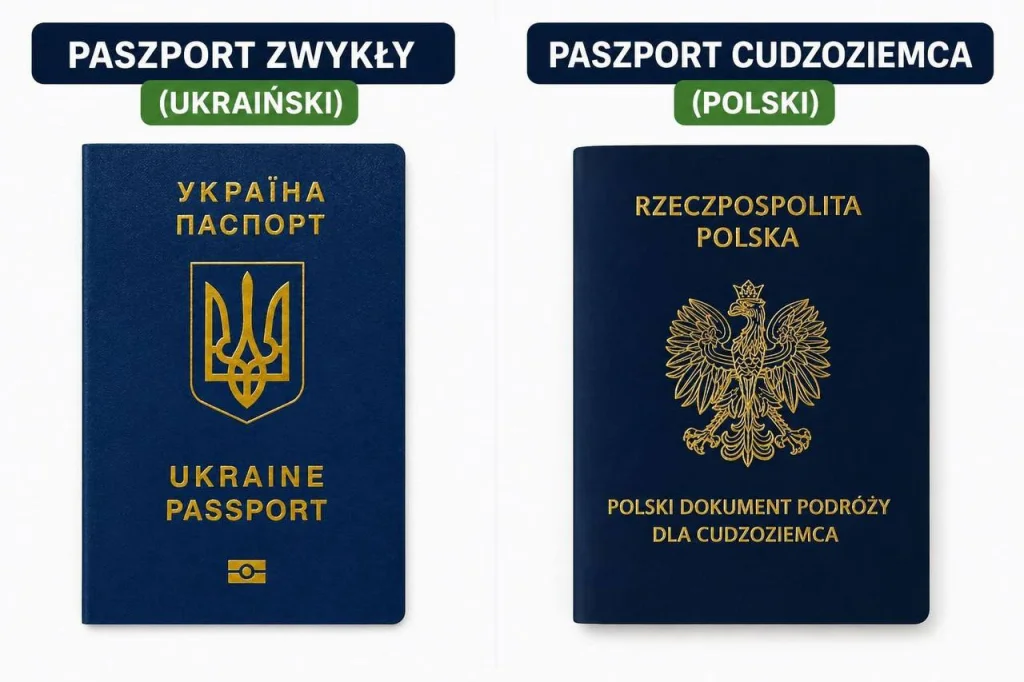
Many people intuitively choose Paszport cudzoziemca — that is wrong. The system help text explains: a foreigner’s passport is issued in the host country when someone cannot obtain a passport from their own state. A Ukrainian passport does not belong there.
Fill the remaining fields strictly from the document: series/number, issue and expiry dates, issuing country, number of persons entered in the passport. In the “issuing authority” field, Ukrainian passports often show an authority code — transfer that code; do not invent a free-text name.
Family reunification: stricter MOS fields
Early family filings show stronger requirements: passport details, address in the country of origin, and address in the previous country of stay. MOS collects a fuller movement history.
Example: someone left Ukraine, lived in Spain for years, then moved to Poland — the form asks for that path. Whether every line is manually verified will emerge in practice, but “fill anything” is no longer safe.
At the end of the form you must write a purpose statement: why this ground and why you want to stay in Poland. It is among the first things the officer sees. Plan translations and apostille early for foreign marriage/birth certificates.
Filing for minor children
Children aged 13+ need their own Profil Zaufany and MOS account; a parent attaches it via “dołącz istniejące konto” using the child’s account ID from “dane osobowe”. Children under 13 do not need Profil Zaufany: use “utwórz nowe konto” inside the parent’s cabinet.
“Dodaj konto istniejące” is not for children — it is for adults who already have an account but need a representative for health or similar reasons. Mistakes here stall cases for weeks.
Załącznik nr 1 — the weakest link
For work, study, traineeship or volunteering, MOS emails a link to the employer/organisation to complete Annex no. 1. Validity: 30 days. Without a signed annex, Send stays inactive.
Three mistakes that stop submission
- the signer has no Profil Zaufany;
- wrong email — the link never arrives;
- trying to bypass the flow with a hand-filled PDF — each party signs via their own link; multiple employers mean multiple links.
A signed annex is accepted automatically. Substance errors appear later. A corrected annex can sometimes be brought to fingerprints — do not plan around that.
After filing: UPO, certificate, visit, eDoręczenia
Save UPO, the application PDF and receipts immediately. Next: office review, zaświadczenie o złożeniu wniosku (replacing the old red stamp), an in-person visit, and decisions via eDoręczenia.
From 2026 official correspondence is electronic: delivery is presumed even if you never open the message. In Warsaw/Mazovia, MOS cases often require electronic supplements only; the visit is for fingerprints and passport checks. Prepare files early.
For Ukrainian nationals: UKR and CUKR
UKR status runs until 4 March 2027. From 5 March 2026 the temporary-protection document is called Dokument ochrony czasowej. From 4 May 2026 MOS accepts CUKR filings — a three-year bridge from UKR toward fuller legalisation. Typical conditions: continuous UKR ≥365 days, status on 4 March 2025 and on the filing date, valid passport. UKR obtained after 4 June 2025 often fails the test.
Verify PESEL UKR and passport data before opening the form. An earlier correct CUKR start (when you qualify) helps later timelines, but it does not replace a complete evidence pack.
Typical MOS filing mistakes
- wrong application type / ground;
- draft never submitted;
- UPO not saved;
- Ukrainian passport marked as Paszport cudzoziemca;
- photo size/weight mismatch;
- missing passport pages;
- unsigned annex or wrong employer email;
- poor scan quality / missing fee proofs;
- assuming submission equals a finished case.
MOS submission is only the start. Review, fingerprints, possible requests and a decision still follow.
ONE PLUS and MOS 2.0
MOS changed the filing channel, not the substance of the procedure. Correct ground, complete pack and timely replies still decide how the case moves. Tatiana Vyborna, ONE PLUS lead specialist with 10+ years around voivodeship offices, already runs MOS 2.0 cases and sees real failure points — not theoretical ones.
ONE PLUS covers situation analysis, document preparation, MOS/eDoręczenia setup, Annex no. 1 coordination, correspondence control and support through card collection — plus sworn translations and apostille when needed. We do not guarantee a positive decision; we structure the process so deadlines and first-wave technical errors are not wasted.
Book a consultation via contact or the form below — we will map what to do in your specific situation.
Practical checklist before you hit Send
Before submitting, re-check: the legal ground matches your evidence; photo and scans are readable; every passport page is uploaded; fee proofs are attached; the employer email was confirmed by phone; the annex signer’s Profil Zaufany works; eDoręczenia is set up for the person who will monitor the case. Align Latin-script name spelling with the passport — mismatches with PESEL trigger later clarifications.
If the pack includes foreign civil-status acts, do not leave sworn translation and apostille “for after UPO”. Officers often set short reply windows, and production takes days. ONE PLUS usually prepares this layer in parallel with MOS setup so the case does not freeze mid-way.
Brief HR in plain language: what Annex no. 1 is, where the email arrives, who must sign, and what to do if it lands in spam. That alone prevents many “we never received anything” delays. For family and business grounds, decide early which steps need representation documents outside the MOS signature itself.
After filing, set reminders: check eDoręczenia daily in the first weeks, keep UPO in cloud and on your phone, watch MOS status. When a request appears — read the deadline first, gather files second, reply third. That rhythm separates “I filled a form” from real residence-card case management.
How ONE PLUS runs a MOS 2.0 process
In consultation we lock the legal ground, voivodeship, status timeline and document risks. Then we assemble the pack, set up access, align the purpose statement and the employer annex scenario. After UPO we keep a request calendar and draft replies that respect deadlines. Extra services — PESEL, translations, apostille — stay in the same workflow instead of scattered offices.
This does not ban DIY filing: if you complete the form yourself, a consultation still helps avoid ground and checklist mistakes. For full support, contact the team with your ground, city and whether Profil Zaufany is already active.
Travel-document fields and other quiet form traps
Beyond passport type, copy series/number, dates and issuing-authority codes carefully. Mismatches between MOS, the passport and PESEL almost always trigger a request. The same applies to residential address: write it as in the lease or official registration, not approximately. If your surname changed, prepare proof and sworn translation early.
Before Send, review attachments like an officer: every PDF opens, scan edges are not cropped, stamps are visible. For family grounds, add a short movement chronology in the purpose statement. If you need pack support, contact ONE PLUS — fixes are cheaper before UPO than after the first request.
Also confirm fee proofs match the correct voivodeship account and that the 100 zł card-issuance payment is separate where required. Keep originals ready for the fingerprint visit even when the office insists on electronic supplements. A tidy digital pack plus a tidy physical folder for the visit is still the safest pair under MOS 2.0 residence-card practice.
Book a consultationA practical checklist before you hit submit in MOS 2.0
Before you send anything in MOS, walk through a calm checklist. Confirm the legal basis, match passport data with your travel document, and open every scan to make sure nothing is cropped. If you need a sworn translation or an apostille, finish that before upload — not after an office request. Also confirm your PESEL details and that your delivery address actually works.
- Build the file around your real basis: work, study, business, family reunification residence permit, or another path.
- Ukrainian nationals should compare a standard residence card (TRC) route with the CUKR residence card option when relevant.
- For guided online filing, use MOS 2.0 filing support so small form mistakes do not become big delays.
- If someone files for you, prepare a clear power of attorney in Wrocław with the right scope.
What ONE PLUS checks in real cases
ONE PLUS and Tatiana Vyborna do not only ask “are the boxes filled?”. We check whether the form, attachments and story match. We look for date conflicts, name spelling issues and weak evidence before the voivodeship office does. Always cross-check official rules on the UDSC website and file through MOS 2.0. No agency can promise a positive decision. Our job is to make your package clear, complete and consistent.
After filing, stay active: watch the status, read e-Doręczenia messages and keep every confirmation. If the office asks for more documents, answer with calm, readable scans. If you already think about the next stage — permanent residence or later Polish citizenship — plan early instead of rushing in the last month of your card.
Short answers clients ask most often
Can I fix the form after sending? Sometimes, but not always with one click. Check carefully before submit. Do I need translation for every paper? No — only what your basis and local practice require; that is where targeted sworn translation helps. Where do I start if MOS feels confusing? Write via the ONE PLUS contact page and we will break the steps into plain language.
After you click “Submit” in MOS: what counts as a successful filing
- You have a submission confirmation / case number.
- You saved PDFs/scans of what went out.
- Status and mailbox monitoring are switched on.
- You have buffer time for a possible wezwanie.
- You have a plan for biometrics and the card-production fee.
Before filing, say one paragraph out loud: who you are, on what ground you stay, what proves it, and where the office will write. If that paragraph wobbles, the packet is not ready for MOS yet.